Snaffler
A reconnaissance tool that uses rule-based analysis to locate high-value files, credentials, and privilege escalation opportunities within Active Directory environments.
Objective
Snaffler is a post-exploitation reconnaissance tool designed for Active Directory environments. It enumerates accessible network shares to identify sensitive information such as credentials, configuration files, scripts, and other security-relevant artifacts.
The tool uses rule-based classification to reduce noise and surface high-value findings, enabling efficient identification of potential privilege escalation paths and common misconfigurations within Windows file shares.
Skills Learned
- File Share Analysis - Network share enumeration and directory structure analysis
- Data Exposure Identification - Identification of exposed sensitive data across shared file systems
- Privilege Escalation Awareness – Recognition of Active Directory misconfigurations and privilege escalation vectors
Steps
Part 1: Tool Acquisition
Snaffler can be obtained from the official repository:
https://github.com/SnaffCon/Snaffler
Download the latest release and extract the binary.
Download the latest release of Snaffler from the official SnaffCon GitHub repository.
Note: Endpoint Detection and Response (EDR) solutions may flag execution. Testing should be performed in authorized lab environments with appropriate exclusions where necessary.
Part 2: Execution Context
Open Command Prompt and navigate to the directory containing Snaffler.exe.
Part 3: Command-Line Options
The following primary flags are available:
1
2
3
4
-s   Output results to stdout
-d   Domain to enumerate
-o   Output log file
-t   Output format (plain or JSON)
Part 4: Execution Example
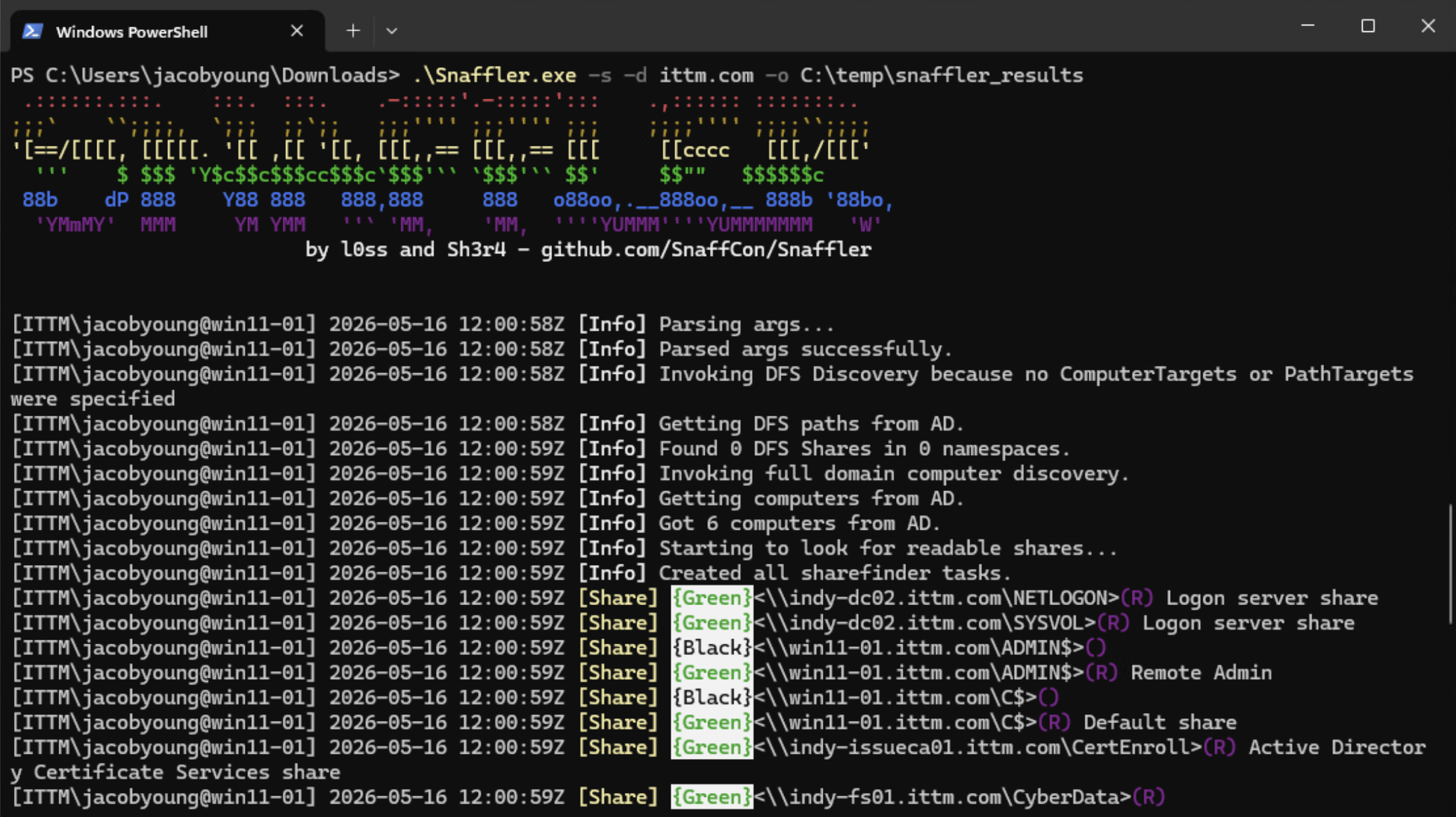
The following command initiates enumeration against a target domain and writes results to a log file.
1
.\Snaffler.exe -s -d domain.com -o C:\temp\snaffler\snaffler_Results.log
Part 5: Output Analysis
Upon completion, Snaffler generates a structured log file containing categorized findings based on sensitivity and relevance.
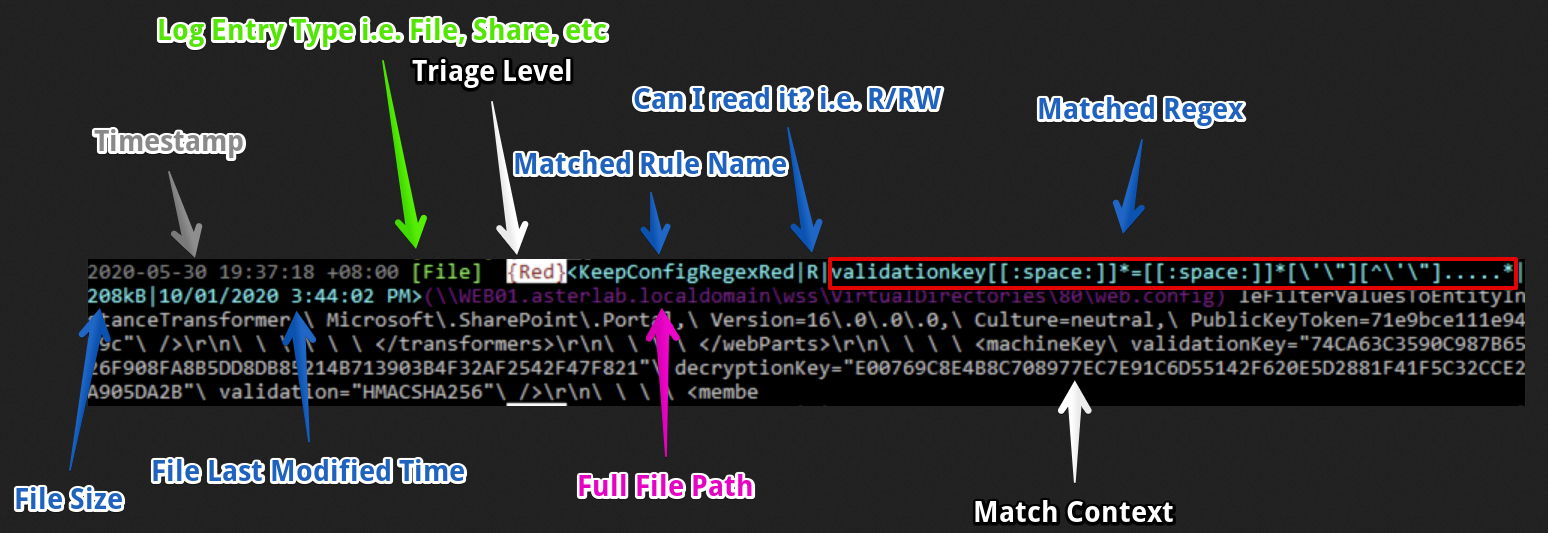
Output Classification Reference
Triage Levels
⚫ Black (Critical Severity) — Highly sensitive findings that may directly contribute to domain compromise, including privileged credentials or administrative secrets.
🔴 Red (High Severity) — Likely exposure of sensitive data such as plaintext credentials, API keys, or certificates.
🟡 Yellow (Medium Severity) — Potentially sensitive artifacts requiring manual validation, such as configuration files, connection strings, or scripts.
🟢 Green (Low / Informational) — Low-risk informational findings used for baseline asset mapping and situational awareness.
Security Considerations
Snaffler should only be executed in environments where explicit authorization has been granted. Unauthorized execution may violate organizational security policies or applicable laws.
Notes
- Results should be validated manually to reduce false positives
- Output should be securely stored due to potential credential exposure
- Detection by security tooling (e.g., EDR) should be expected in mature environments